Differences Between IntelliJ IDEA Ultimate and IntelliJ IDEA Community
Created:
目次
Introduction
This post summarizes the differences between IntelliJ IDEA Ultimate (Paid) and IntelliJ IDEA Community (Free), focusing on how they impact my personal workflow.
This is not an exhaustive comparison; I’m covering the features I use most. For instance, while there are likely differences regarding Java EE or desktop application development, I don’t work in those fields, so I haven’t included them here. Instead, the focus is primarily on web development with Java and Spring.
For a comprehensive comparison, see the official page:
Needless to say, the most obvious difference is that one is paid and the other is free. As of March 2025, the personal monthly subscription starts at $19.90.
Features of the Paid Version
Languages
Both the Paid and Community editions support development in Java and Kotlin. The key difference lies in non-JVM languages such as Go and Ruby.
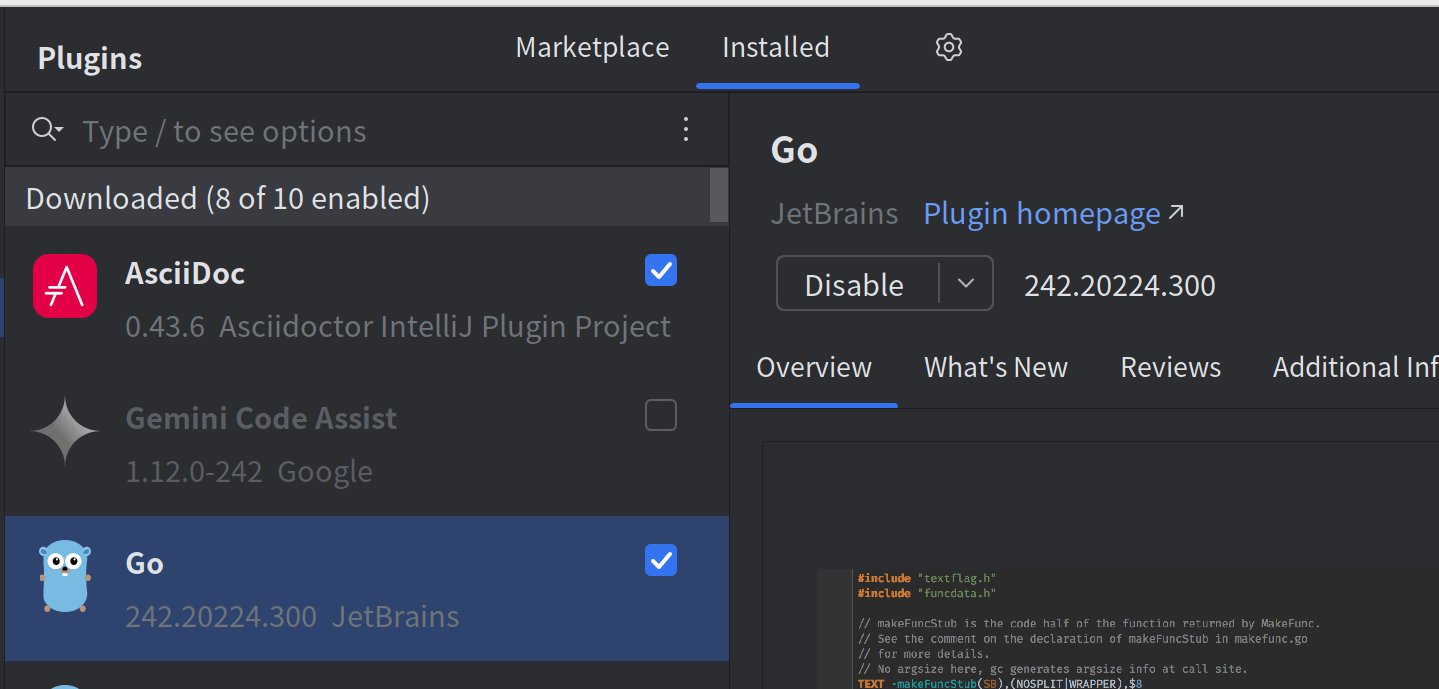
In the Ultimate version, a Go plugin is available. Installing it provides advanced features like code completion, similar to what you get with Java. In the Community edition, this plugin cannot be installed. While you can still open Go files, there is little to no code intelligence, making it feel like a basic text editor.
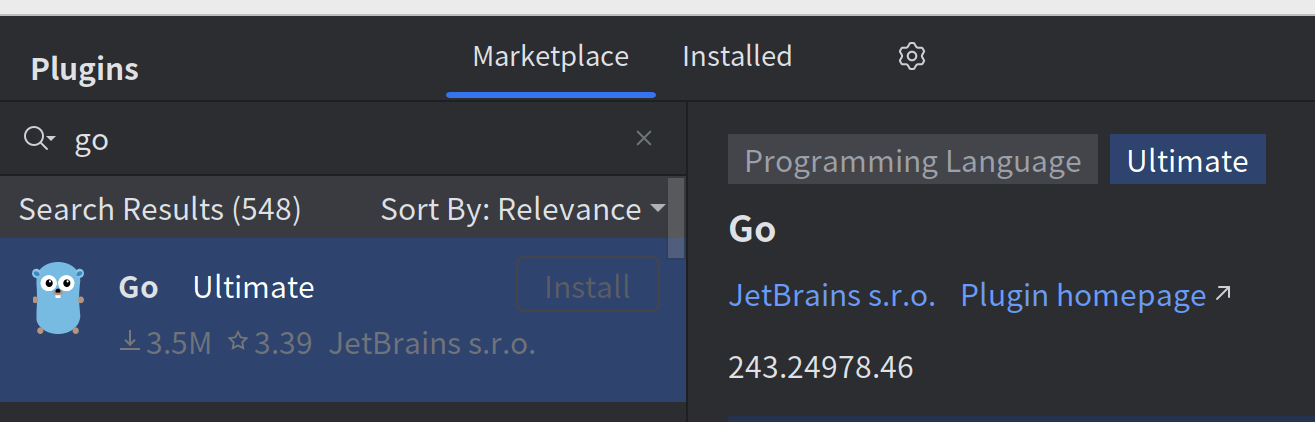
In the free version, you cannot install it.
You can still open Go files, but you get little to no completion, so real development is difficult (it is essentially like opening the file in a plain editor).
Spring Support
IntelliJ IDEA Ultimate includes features tailored specifically for Spring development.
Jump to Beans
In the Ultimate version, classes registered in the DI container (and their injection targets) are marked with green gutter icons.
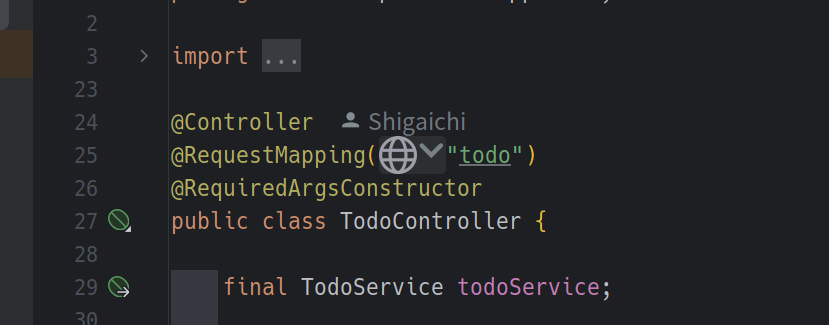
For example, the line final TodoService todoService; is marked. Clicking it jumps directly to TodoServiceImpl, which implements TodoService.
If you just click TodoService, you only navigate to the interface.
You can also navigate in the other direction, from a class annotated with @Service to its injection targets.
It is not essential, but it’s a huge quality-of-life improvement that I use frequently.
Creating a Spring Project
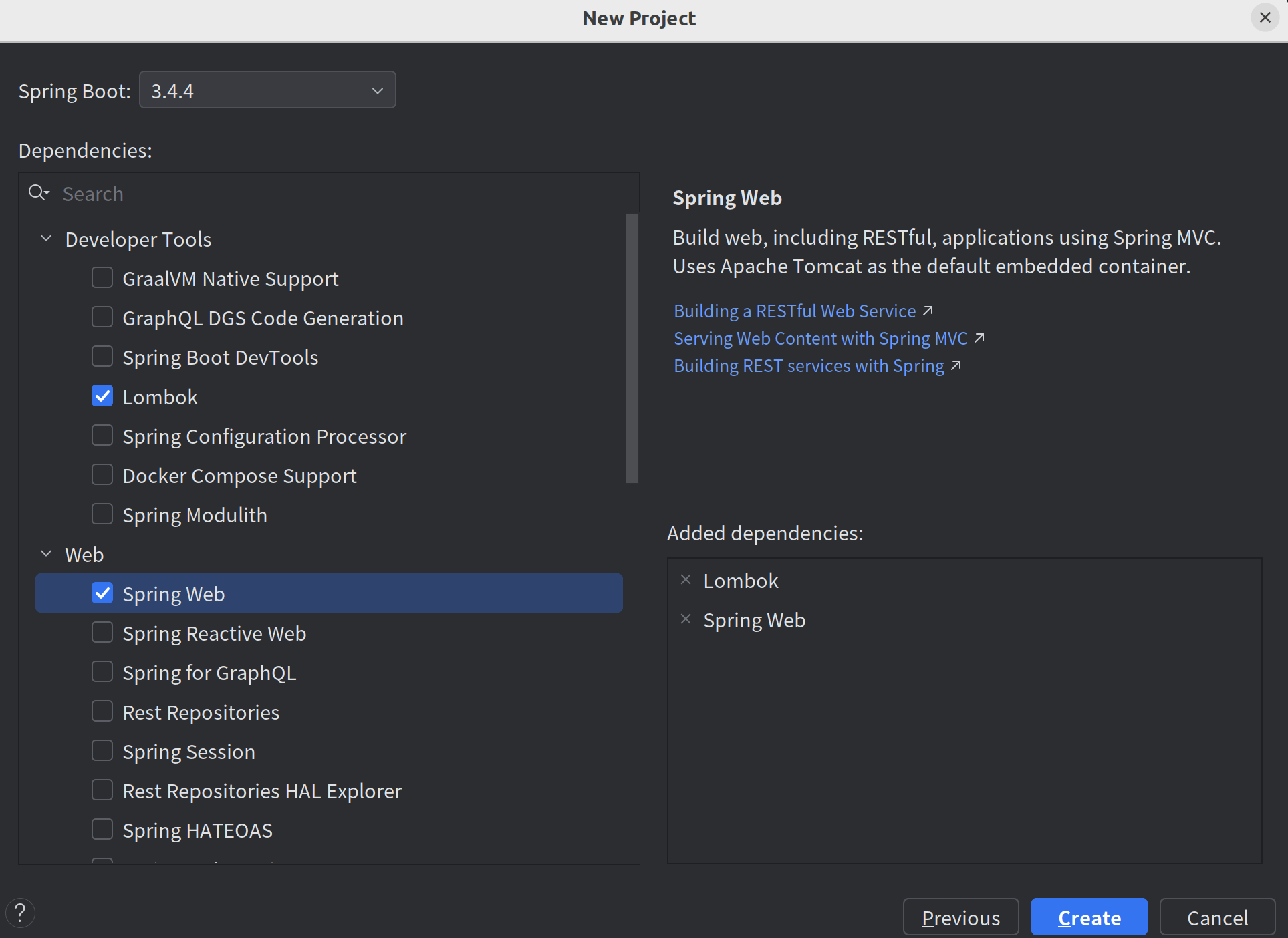
When starting a new project, IntelliJ IDEA features a built-in wizard similar to Spring Initializr.
Thymeleaf
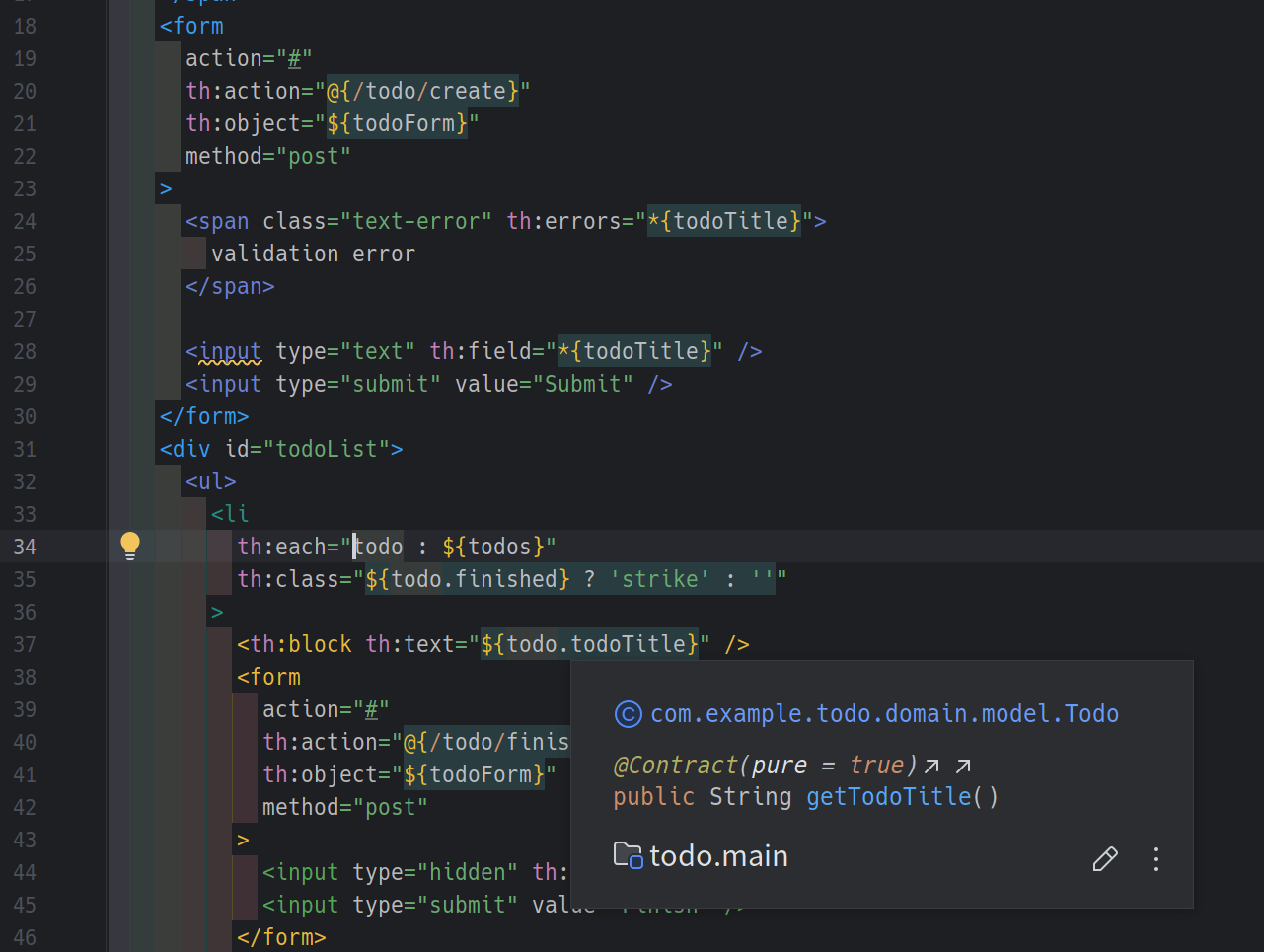
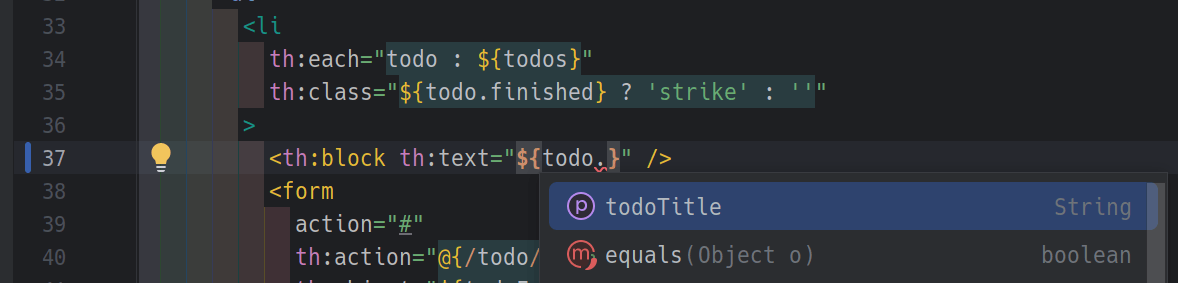
When editing Thymeleaf templates, it provides intelligent completion for variable names and more.
In a regular editor, Thymeleaf is just HTML, and attributes like th:text (and the variable names inside them) are just strings, so this feature is quite helpful.
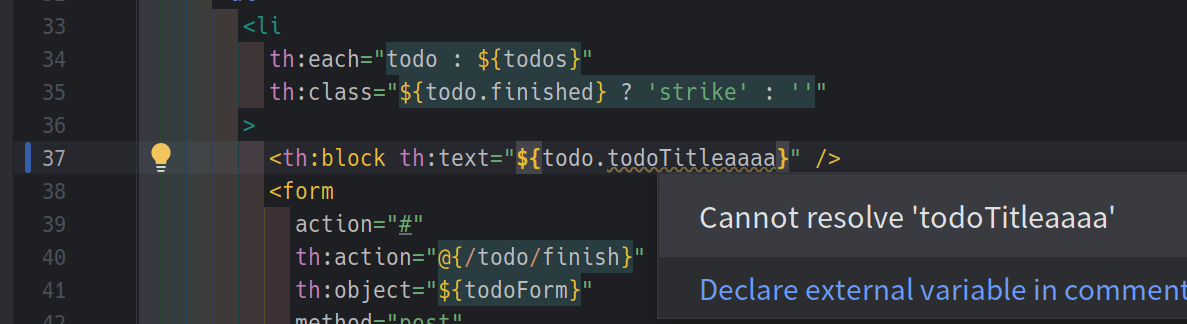
Here, todoTitleaaaa has a typo, and the editor warns you.
In a normal editor, you might only notice this at runtime when the page fails to render correctly.
Database (SQL)
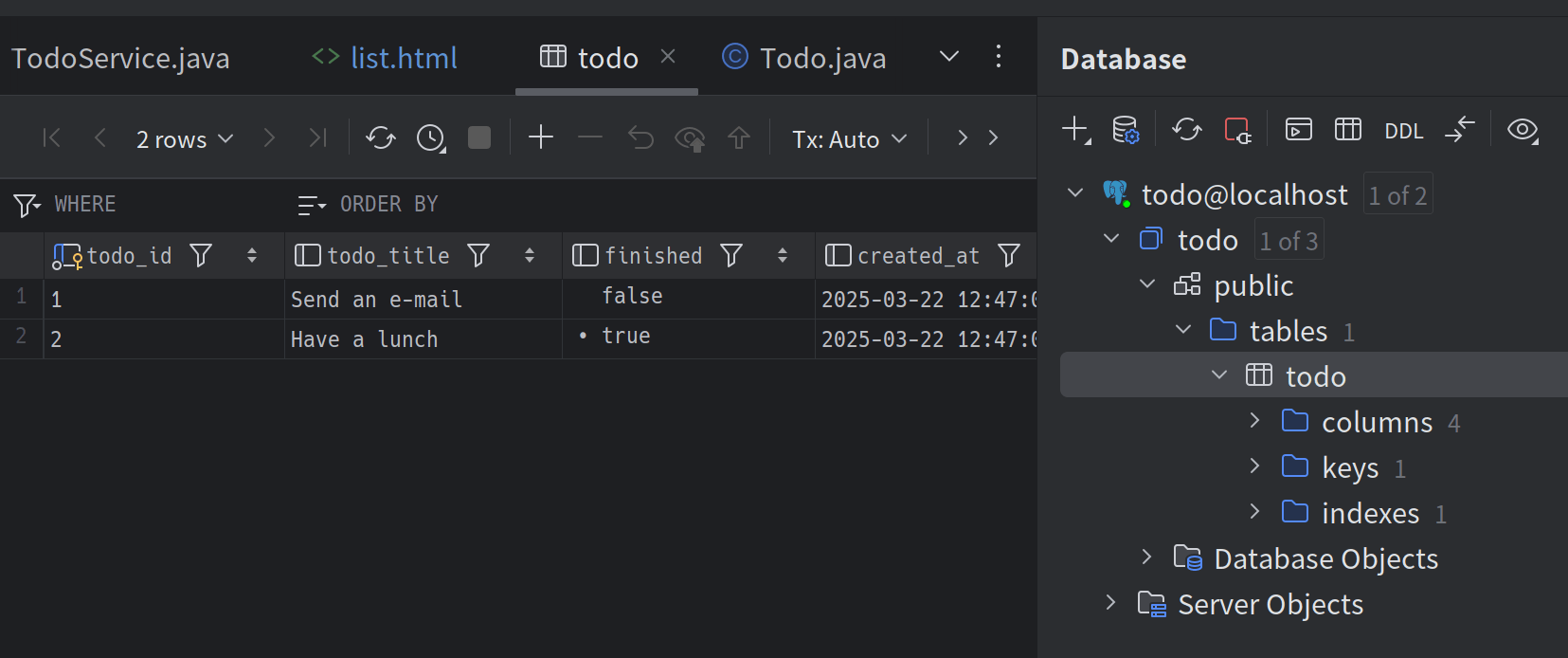
You can connect to local or remote databases, browse data, and execute SQL directly within the IDE. While free standalone database tools exist, having these capabilities integrated into your editor is a major convenience.
It also supports not only various RDBMSs but MongoDB, Redis, and more. A database tool with this breadth is highly valuable.
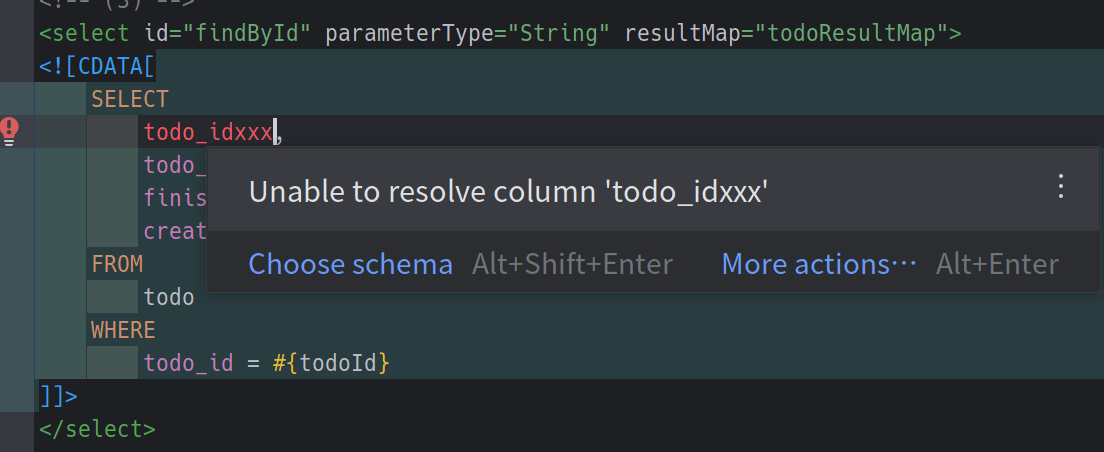
This is a MyBatis XML file. If the editor is connected to a database, SQL in such files also gets completion.
In this screenshot, it warns that todo_idxxx is not a column in the todo table.
It also detects syntax errors, which are easy to overlook until you run the query.
The same kind of support works when SQL appears directly in code (as some ORMs allow), not just in MyBatis XML.
Remote Development
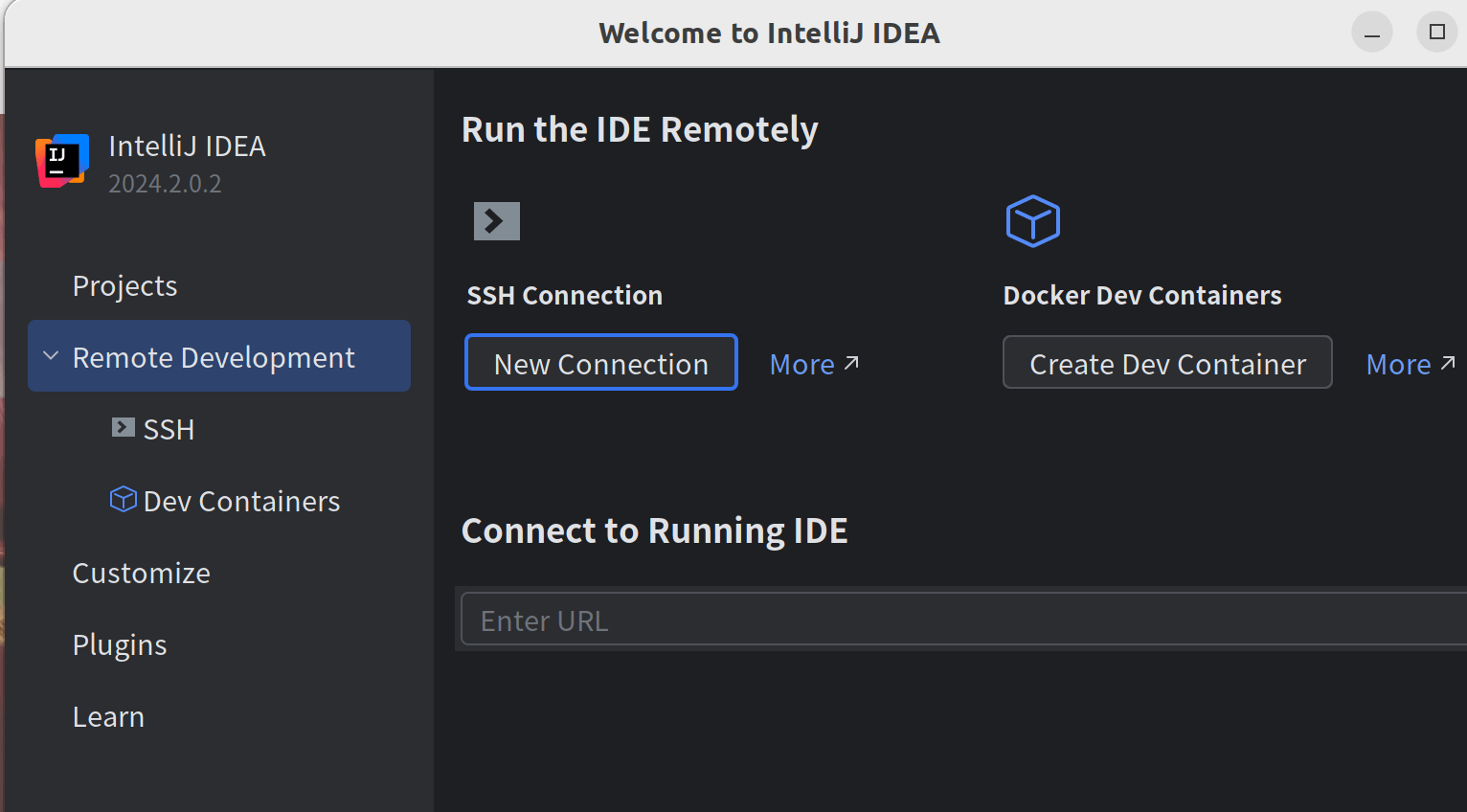
This is comparable to VS Code’s Remote Development.
You can develop on a server or inside a container via SSH.
This not only eliminates the need for local environment setup, but is also useful when local configuration is particularly difficult.
While I don’t use this much for Java or Go, it was essential when I was working with Ruby.
IntelliJ IDEA Ultimate vs GoLand (RubyMine, PyCharm, PhpStorm, WebStorm, etc.)
As mentioned in the Languages section, installing the Go plugin in IntelliJ IDEA Ultimate enables Go development.
Therefore, if you want to develop in Go, you need to decide whether to pay for IntelliJ IDEA Ultimate or GoLand.
The official comparison table is here. IntelliJ IDEA Ultimate costs $19.90 per month for personal use, while GoLand is $10.90 per month.
If you only develop in Go, GoLand makes sense. If you might also develop in JVM languages, Python, Ruby, PHP, and so on, you will likely choose IntelliJ IDEA Ultimate.
Personally, even though GoLand is cheaper, IntelliJ IDEA Ultimate offers a broader range of development for the price difference, which seems like a good deal.
Also, as you can see from the comparison table, both support frontend technologies such as TypeScript and React.
I used GoLand as the example here, but the situation should be the same for RubyMine, PyCharm, PhpStorm, WebStorm, and so on.
IntelliJ IDEA Ultimate vs All Products Pack
As the name suggests, All Products Pack includes IntelliJ IDEA Ultimate plus every other JetBrains IDE. It is a bit more expensive: JPY 4,046 per month for personal use.
Is it worth paying for it?
In most cases, paying for IntelliJ IDEA Ultimate is enough to cover Java, Go, and Ruby.
So you can develop across a wide range without subscribing to All Products Pack.
However, there is a benefit for people who work with both Java and Go: they can use IntelliJ IDEA and GoLand side by side.
Also, for example, GoLand removes Java-specific features and is more focused on Go development.
That said, I previously subscribed to All Products Pack and used both, but the differences were minor unless you compared them side by side.
In fact, it became a hassle to keep common settings (like showing whitespace characters) consistent across multiple IDEs, and the IDEs themselves take up a fair amount of disk space. In the end, I used only IntelliJ IDEA.
In my opinion, most users would be fine with a single IDE rather than paying for the All Products Pack.
Conclusion
I have listed the advantages of the paid version, but due to my circumstances I use the free version at work and the paid version at home. I do Spring web development with Java and Kotlin, and for that scope I rarely feel limited by the free version.
That said, the paid version is certainly convenient in many areas, and I wanted to share the points I personally find useful.
Also, IntelliJ IDEA Ultimate comes with a 30-day free trial, so it is worth trying.